

iPad FAQs
How do I adjust the brightness?
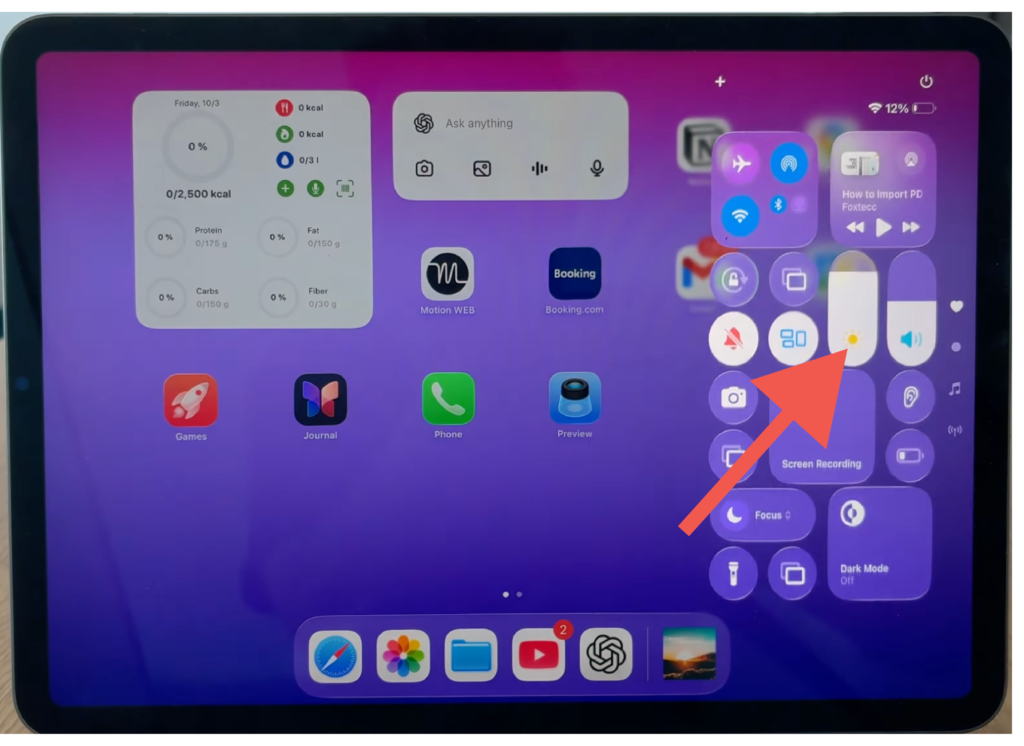
- Use your finger to swipe down on the top right of your screen
- You will then see an icon that looks like the sun. Swipe that up and down to your liking.
How do I adjust the Volume?
- You may use the two buttons on the side of the screen
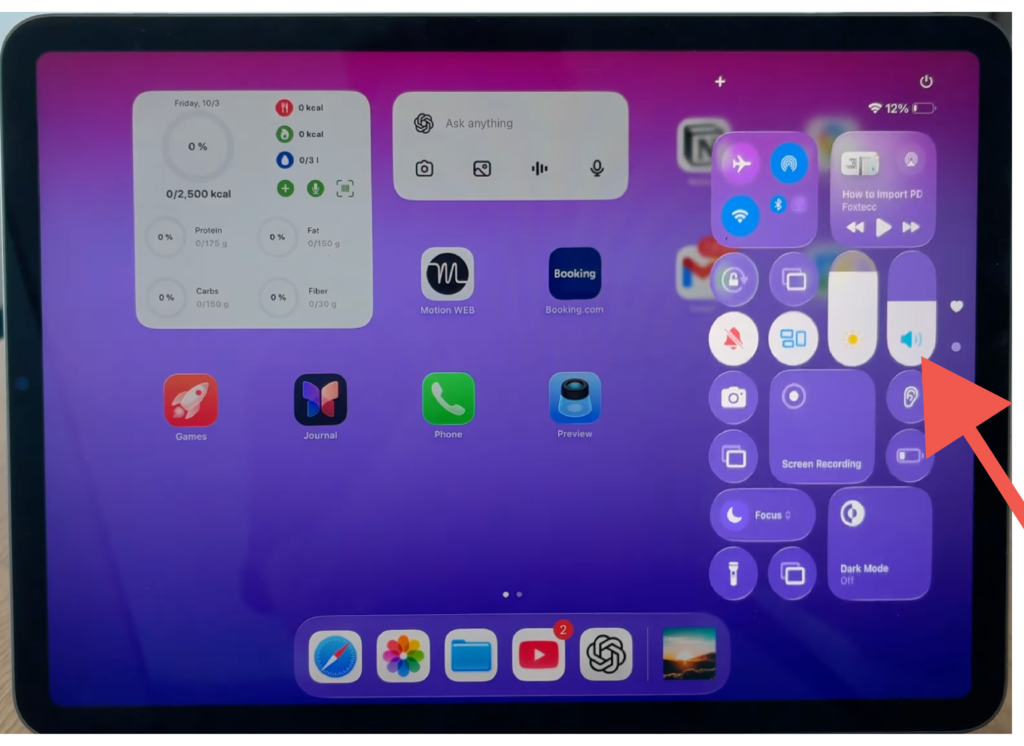
- Or use your finger to swipe down on the top right of your screen and adjust the volume slider to your liking.
What information do I need to share to get remote help?
One of the following:
- The Asset Tag number (Number below the barcode sticker)
- The information on the sticker on the back of your iPad in the center
- The Serial number
- The name of the iPad
Where do I find the serial number?
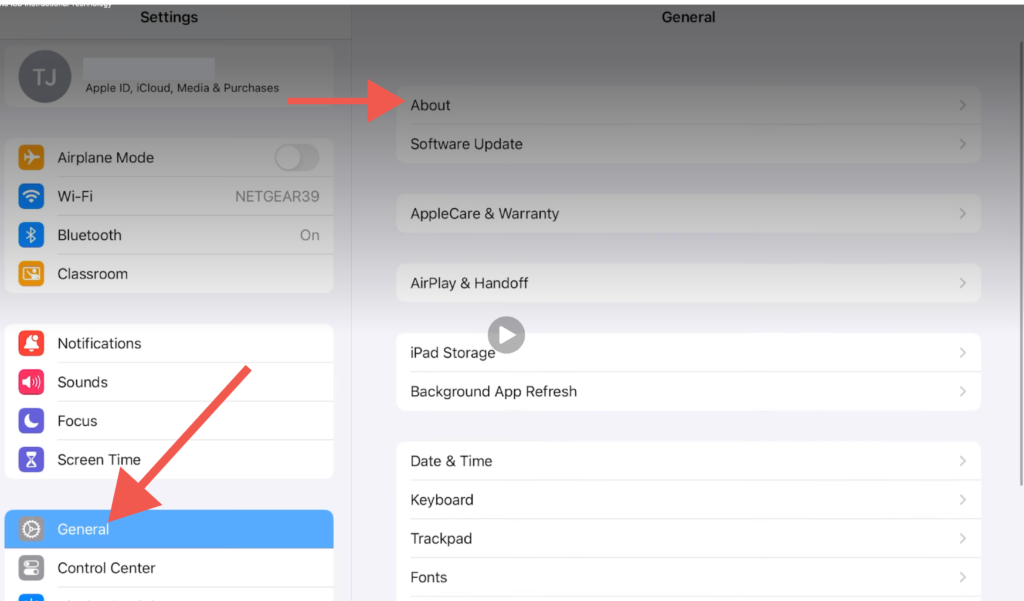
- Navigate to the Settings App
- Tap “General”
- Tap “About”
- The Serial number will be the 5th item from the top
What is the name of my iPad?
- Navigate to the Settings App
- Tap “General”
- Tap “About”
- The name of your iPad will be the first option.